A clean cutout to start
Foldout separates the subject from its background and gives you a transparent cutout as a starting point for product shots, portraits, and logos.
Background Remover lifts the subject out of a photo and hands you a clean cutout - transparent, dropped on a solid color, or floated over a soft blur - with erase and restore brushes to perfect the edges by hand before you save.
Start the 14-day trial in the app. No payment method is required to try Foldout.
Foldout transforms user-supplied files locally. It does not generate synthetic people, voices, likenesses, or media from prompts.
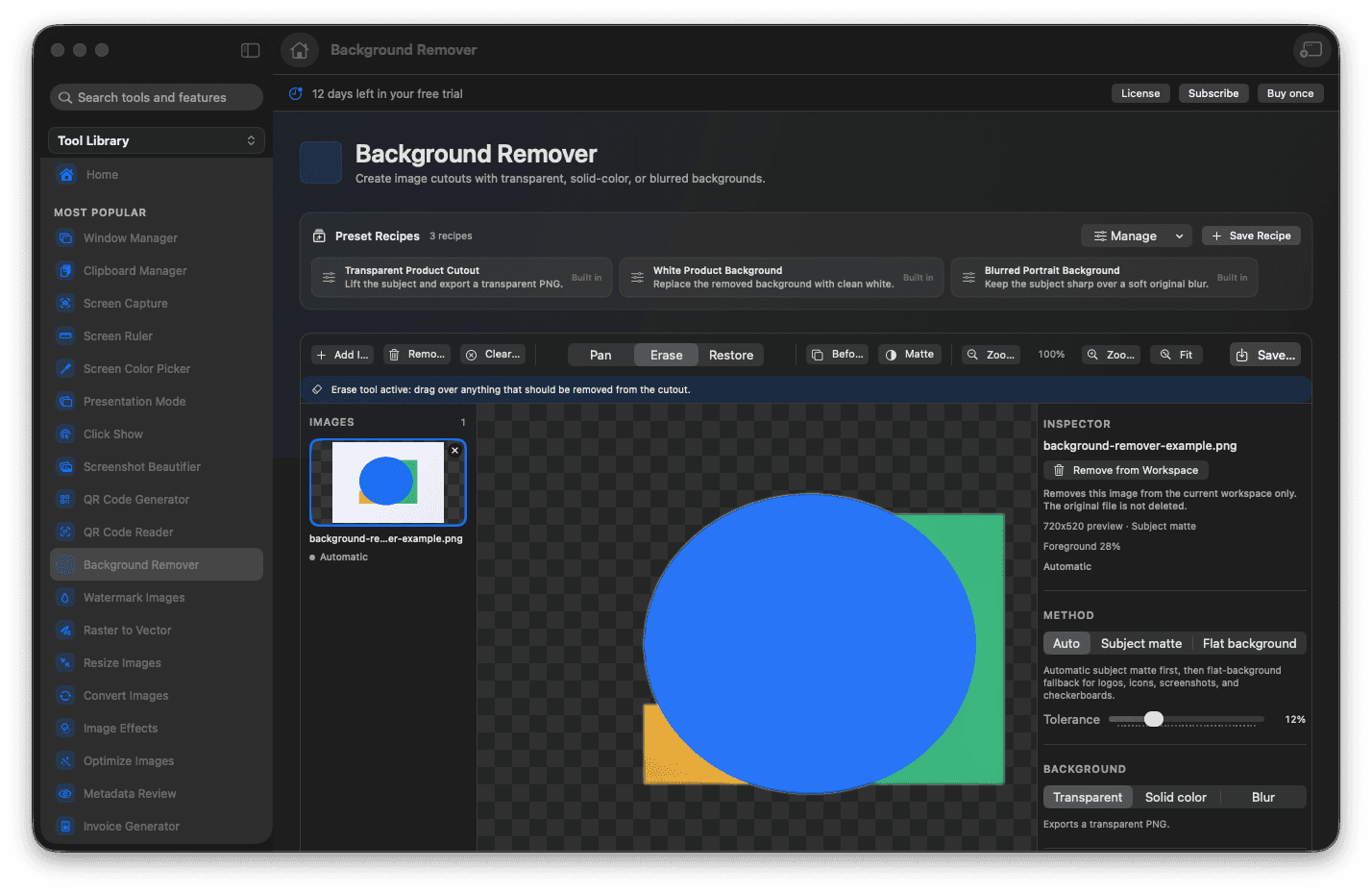
Get a transparent PNG cutout of the subject.
Fine-tune the edges with erase and restore brushes.
Save it transparent, on a solid color, or over a blur.
Work through product shots and portraits one after another.
Concrete features, inputs, and workflow details for this tool.
Foldout separates the subject from its background and gives you a transparent cutout as a starting point for product shots, portraits, and logos.
Erase and restore brushes let you knock out a stray edge or bring back a wisp of hair, so the matte is exactly right before you export.
Save the result as a transparent PNG, place it on a solid brand color, or float it over a blurred version of the original for instant depth.
Add one or more images.
Let Foldout create the first cutout.
Use erase or restore to correct the result.
Save the cutout output.
Yes. Erase removes unwanted kept pixels, and Restore brings subject pixels back.