See what is hiding
Inspect the metadata categories a file carries - location, author, device, timestamps - so you know exactly what you would be sharing.
Metadata Review shows you the hidden details riding along inside your files - the GPS coordinates in a photo, the author baked into a PDF, the device tags in a video - then writes clean copies with that information stripped, before anything leaves your hands.
Start the 14-day trial in the app. No payment method is required to try Foldout.
Use Foldout only with files and content you own or have permission to process.
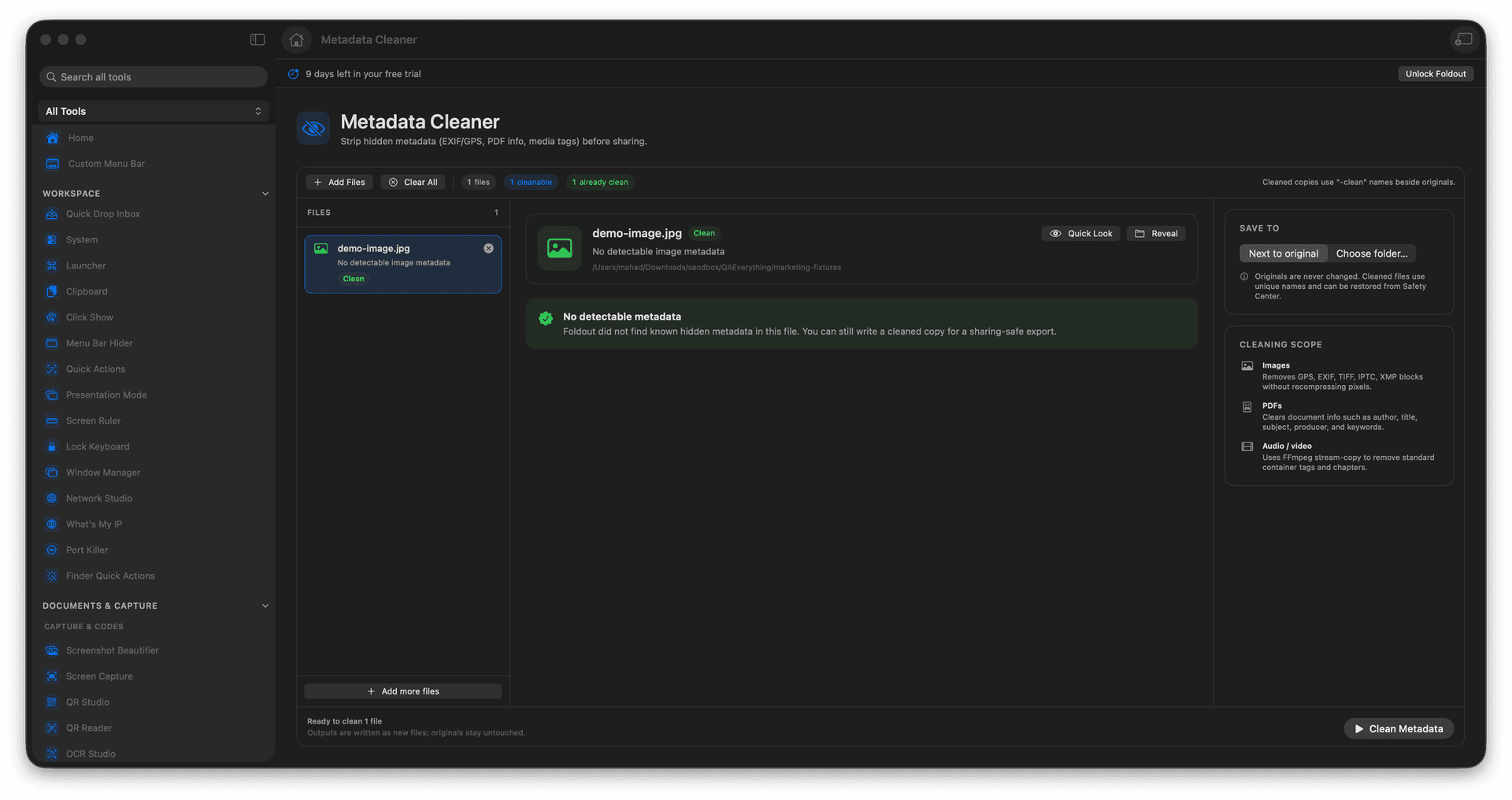
See the hidden metadata inside a file.
Strip EXIF, GPS, PDF info, and document tags.
Clean images, PDFs, media, and documents.
Cleaned copies are saved alongside originals.
Concrete features, inputs, and workflow details for this tool.
Inspect the metadata categories a file carries - location, author, device, timestamps - so you know exactly what you would be sharing.
Remove EXIF, GPS, PDF document info, media tags, and document metadata where supported, in one pass.
The stripped version is written as a sibling file, leaving the original with its metadata intact.
Add files.
Review detected metadata.
Choose the files to clean.
Save cleaned outputs.
No. Metadata inspection and cleaning run locally in Foldout.